Running a growing business involves managing sales, purchases, inventory, accounts, production, employees, customers, and daily operations. As a business expands, managing all these functions through spreadsheets, separate software, or manual processes can become difficult, time-consuming, and error-prone.
This is where ERP software in Pakistan can make a significant difference.
An Enterprise Resource Planning (ERP) system brings different business functions together on a single platform, allowing companies to manage operations, financial data, inventory, sales, purchasing, production, and customer relationships more efficiently.
For Pakistani businesses looking for a centralized solution, choosing the best ERP software in Pakistan depends on business size, industry, required modules, implementation support, integrations, customization, and long-term scalability.
In this guide, we explain what ERP software is, why growing businesses need it, which features to look for, how much an ERP system can benefit your business, and how to choose the right ERP solution.
What Is ERP Software?
ERP stands for Enterprise Resource Planning.
ERP software is a centralized business management system that connects multiple departments and business processes within one platform.
Instead of maintaining separate systems for accounting, inventory, sales, purchasing, production, CRM, and HR, an ERP system allows businesses to manage these functions through an integrated environment.
A modern ERP system can help businesses:
- Manage accounting and finance
- Track inventory and stock movement
- Manage sales and customers
- Handle purchases and suppliers
- Control manufacturing and production
- Manage employees and payroll
- Monitor projects and costs
- Generate business reports
- Manage customer relationships
- Connect with external platforms and services
The main purpose of ERP is to create one reliable source of business information.
Why Do Growing Businesses Need ERP Software?
When a business is small, spreadsheets and basic accounting software may appear sufficient.
But as the business grows, the volume and complexity of transactions also increase.
For example, a company may have:
- Multiple warehouses
- Hundreds or thousands of products
- Multiple sales channels
- Numerous suppliers
- Large customer databases
- Manufacturing operations
- Multiple branches
- Growing employee numbers
- Increasing financial transactions
Managing all this information manually can create operational problems.
Common Problems Without ERP
Businesses often face:
- Duplicate data entry
- Inventory inaccuracies
- Delayed financial reporting
- Difficulty tracking expenses
- Poor coordination between departments
- Sales and purchase data stored separately
- Limited visibility into profitability
- Manual reporting
- Difficulty monitoring production
- Errors in invoices and records
An integrated ERP system for businesses helps bring these processes together.
Key Features of the Best ERP Software in Pakistan
The right ERP solution should provide more than accounting.
A complete ERP platform should cover the major areas of business operations.
1. Accounting & Finance
Financial management is one of the most important parts of an ERP system.
ERP software can help businesses manage:
- General ledger
- Accounts payable
- Accounts receivable
- Expenses
- Cash and bank management
- Financial transactions
- Profit and loss
- Balance sheets
- Financial reporting
Instead of waiting for different departments to send financial information, management can access updated business data from one system.
2. Inventory Management
Inventory is critical for manufacturing, wholesale, distribution, retail, pharmaceutical, textile, and other product-based businesses.
A good inventory management software solution should help businesses monitor:
- Stock levels
- Stock movements
- Warehouses
- Product quantities
- Purchase receipts
- Sales deliveries
- Stock transfers
- Reorder requirements
- Inventory valuation
Better inventory visibility can help businesses reduce stock shortages, excess inventory, and manual errors.
3. Sales Management
ERP software can connect the complete sales cycle.
Businesses can manage:
- Quotations
- Sales orders
- Invoices
- Customer information
- Sales representatives
- Receivables
- Sales reports
- Customer history
Management can also monitor sales performance and identify trends using centralized reports.
4. Purchase Management
Purchasing is another important business process.
ERP software can help companies manage:
- Suppliers
- Purchase requests
- Purchase orders
- Goods receipts
- Supplier invoices
- Purchase history
- Payables
This gives businesses better control over purchasing activities and supplier relationships.
5. Manufacturing & Production
Manufacturing businesses often require more advanced ERP capabilities.
A manufacturing ERP software solution can help manage:
- Bill of Materials (BOM)
- Production planning
- Production orders
- Raw materials
- Work-in-progress
- Finished goods
- Material consumption
- Production costing
- Inventory requirements
Connecting production with inventory, purchasing, and finance gives management better visibility into the complete manufacturing process.
6. CRM
Customer relationships are an important part of business growth.
A modern ERP platform may include CRM functionality for managing:
- Leads
- Prospects
- Customers
- Follow-ups
- Sales activities
- Customer history
- Opportunities
This allows sales teams to manage customer information alongside other business operations.
7. Payroll & HR Management
Growing organizations also need better employee management.
ERP software can support areas such as:
- Employee records
- Attendance
- Payroll
- Salary management
- Departments
- Employee information
- HR reporting
When HR and payroll data are connected with finance, businesses can reduce manual data handling.
8. Project Management
For construction, engineering, service-based, and project-oriented companies, project management is particularly important.
ERP software can help organizations manage:
- Projects
- Budgets
- BOQs
- Project expenses
- Materials
- Activities
- Project costing
- Project profitability
This gives management greater visibility into project performance.
Cloud ERP vs Traditional ERP
One of the biggest decisions businesses make is whether to use a cloud-based ERP or an on-premise system.
What Is Cloud ERP?
Cloud ERP is hosted on secure cloud infrastructure and accessed through the internet.
Businesses generally don’t need to maintain their own ERP servers.
Advantages can include:
- Remote accessibility
- Reduced infrastructure requirements
- Easier updates
- Centralized data
- Scalability
- Access from multiple locations
For businesses with multiple branches or remote teams, cloud ERP can provide additional flexibility.
What Is On-Premise ERP?
On-premise ERP is installed and operated on the company’s own infrastructure.
This approach may be preferred by organizations that require specific infrastructure or internal IT control.
The right option depends on the organization’s operational, technical, security, and compliance requirements.
ERP Software for Different Industries
There is no single ERP configuration that works exactly the same for every business.
Different industries have different workflows and requirements.
ERP for Manufacturing
Manufacturing companies need control over raw materials, production, inventory, costing, purchases, and finished goods.
ERP can connect these processes into one system.
ERP for Textile & Garments
Textile and garment businesses may need to manage production, inventory, purchasing, sales, costing, and supply chain operations.
ERP for Construction
Construction companies can use ERP to manage projects, BOQs, expenses, procurement, materials, accounts, and project profitability.
ERP for Solar Businesses
Solar companies may need centralized management of sales, inventory, purchasing, projects, customers, and financial operations.
ERP for Wholesale & Distribution
Wholesale and distribution companies require accurate stock management, purchasing, sales, customer accounts, warehouses, and receivables.
ERP for Pharmaceutical Businesses
Pharmaceutical companies can benefit from centralized management of inventory, purchasing, sales, production, batch-related processes, and expiry-sensitive stock.
ERP for Plastic & Rubber Manufacturing
Plastic and rubber manufacturers require coordination between production, raw materials, inventory, purchasing, sales, and costing.
A specialized ERP configuration can help connect these processes.
ERP Integration for Pakistani Businesses
ERP software becomes even more useful when it connects with other business platforms and services.
For Pakistani businesses, important integrations can include:
- FBR Digital Invoicing
- PRA
- SRB
- Shopify
- SMS
These integrations can reduce duplicate data entry and help businesses connect ERP processes with external platforms.
FBR Digital Invoicing
Digital invoicing is becoming increasingly important for businesses operating in Pakistan.
An ERP solution with FBR integration can help businesses manage invoicing processes more efficiently while connecting their internal sales and financial workflows with digital invoicing requirements.
Businesses should always confirm their specific tax and compliance requirements with the relevant authorities or professional advisors.
Benefits of Using ERP Software
Implementing an ERP system can provide several operational benefits.
Better Business Visibility
Management can access information from different departments through centralized dashboards and reports.
Reduced Manual Work
Automating repetitive processes can reduce unnecessary data entry.
Improved Data Accuracy
When departments work from connected records, businesses can reduce duplicate and inconsistent information.
Better Inventory Control
Real-time stock information helps businesses make better purchasing and sales decisions.
Faster Reporting
Management can generate reports without waiting for different departments to manually compile information.
Improved Decision-Making
Centralized information gives business owners and managers a clearer picture of operations and financial performance.
Better Department Coordination
Sales, purchasing, inventory, accounts, production, and management can work with connected information.
How Much Does ERP Software Cost in Pakistan?
The cost of ERP software in Pakistan varies significantly.
There is no single price that applies to every business.
ERP pricing can depend on:
- Number of users
- Number of branches
- Required modules
- Industry requirements
- Customization
- Implementation
- Training
- Integrations
- Cloud or on-premise deployment
- Support requirements
- Data migration
A small business with basic accounting and inventory requirements will have different needs from a large manufacturing company with multiple warehouses and production operations.
Instead of choosing an ERP purely based on the lowest price, businesses should evaluate the total value, functionality, implementation support, scalability, and long-term cost.
How to Choose the Best ERP Software in Pakistan
Before selecting an ERP system, businesses should evaluate several factors.
1. Understand Your Business Requirements
Start by identifying your current problems.
Ask:
- What processes are manual?
- Where are errors occurring?
- Which reports are difficult to generate?
- How is inventory currently managed?
- How are sales and purchases recorded?
- Do different departments use separate systems?
2. Check the Required Modules
Make sure the ERP provides the modules your business actually needs.
For example:
Finance → Sales → Purchases → Inventory → Production → CRM → Payroll → Projects
3. Consider Scalability
Your ERP should support your business as it grows.
Don’t choose a system that only works for your current size.
4. Evaluate Customization
Every business has unique workflows.
Check whether the ERP can be configured or customized according to your requirements.
5. Check Integrations
If your business uses platforms such as Shopify, WhatsApp, FBR, PRA, SRB, SMS, or email services, check whether the ERP supports the required integrations.
6. Ask About Implementation
ERP implementation is not simply software installation.
It can involve:
- Business process analysis
- Configuration
- Data migration
- User setup
- Training
- Testing
- Go-live support
Choose an ERP provider that can support you through the implementation process.
7. Consider Local Support
For Pakistani businesses, local technical and implementation support can be an important factor.
A provider that understands local business processes, taxation requirements, and market needs can make implementation easier.
ERP Implementation: What Should Businesses Expect?
A successful ERP implementation requires planning.
A typical implementation process may include:
Step 1: Requirement Analysis
The ERP provider studies the company’s business processes and requirements.
Step 2: System Configuration
The ERP is configured according to the organization’s workflows.
Step 3: Data Migration
Relevant existing business data may be transferred into the new system.
Step 4: Testing
The system is tested before going live.
Step 5: User Training
Employees receive training according to their roles.
Step 6: Go-Live
The organization begins using the ERP for daily operations.
Step 7: Ongoing Support
Post-implementation support helps resolve issues and improve system usage.
ERP Software vs Accounting Software
A common question is:
“Why do I need ERP if I already have accounting software?”
Accounting software primarily focuses on financial transactions and accounting functions.
ERP goes beyond accounting by connecting different business departments.
For example:
| Function | Accounting Software | ERP Software |
|---|---|---|
| Accounting | ✓ | ✓ |
| Sales | Limited/Varies | ✓ |
| Purchases | Limited/Varies | ✓ |
| Inventory | Limited/Varies | ✓ |
| Manufacturing | Usually Limited | ✓ |
| CRM | Usually Limited | ✓ |
| Payroll | Varies | ✓ |
| Project Management | Limited | ✓ |
| Integrated Reporting | Limited | ✓ |
For a growing organization, the main advantage of ERP is integration between departments.
When Should a Business Move to ERP?
Your business may be ready for ERP if:
- Excel files are becoming difficult to manage
- Inventory records frequently contain errors
- Multiple departments use separate software
- Management cannot get reports quickly
- Sales and accounts data don’t match
- You have multiple warehouses or branches
- Production is becoming more complex
- Manual data entry is consuming significant time
- You cannot easily track profitability
- Your current software cannot scale with your business
If several of these problems exist, it may be time to evaluate an ERP system.
Why Eccountant ERP?
Eccountant ERP is designed to help growing businesses manage their operations through an integrated ERP platform.
The system brings together key business functions including:
- Finance & Accounting
- Sales
- Purchases
- Inventory
- Manufacturing
- CRM
- Payroll
- Project Management
- POS
- Reporting
Eccountant also supports integrations such as FBR Digital Invoicing, PRA, SRB, Shopify, WhatsApp, SMS, and Email, helping businesses connect their ERP environment with important business services.
Businesses can also choose between cloud and on-premise deployment, depending on their requirements.
With implementation, training, technical support, and customization options, Eccountant can be configured according to different business processes and industry requirements.
Who Can Use Eccountant ERP?
Eccountant can be used by businesses across multiple industries, including:
- Manufacturing
- Textile & Garments
- Construction
- Solar
- Wholesale & Distribution
- Service-Based Businesses
- Pharmaceutical
- Plastic & Rubber
- Packaging
- Engineering
- Chemical
Whether you operate a manufacturing facility, distribution business, construction company, solar business, or service organization, the right ERP configuration can help centralize your operations.
Frequently Asked Questions About ERP Software in Pakistan
What is the best ERP software in Pakistan?
The best ERP software depends on your business size, industry, required modules, integrations, customization needs, budget, and implementation requirements. Businesses should compare ERP solutions based on functionality and long-term business value rather than price alone.
How much does ERP software cost in Pakistan?
ERP costs vary based on users, modules, customization, implementation, integrations, deployment model, and support requirements. Businesses should request a customized quotation based on their actual requirements.
Is cloud ERP better than on-premise ERP?
Neither option is universally better. Cloud ERP can provide accessibility, scalability, and reduced infrastructure requirements, while on-premise ERP may be preferred by organizations requiring greater control over their internal infrastructure.
Can ERP software integrate with FBR?
Yes, ERP systems can support digital invoicing and integrations with relevant tax platforms, depending on the software and implementation. Businesses should verify the specific integration and compliance requirements applicable to them.
Can ERP software manage manufacturing?
Yes. Manufacturing ERP systems can manage areas such as production, BOMs, raw materials, inventory, purchasing, finished goods, and production costing.
Is ERP suitable for small and medium businesses?
Yes. SMEs can use ERP to centralize their operations and establish scalable processes. The important factor is selecting a solution that matches the organization’s actual size and requirements.
How long does ERP implementation take?
Implementation time depends on the size and complexity of the organization, number of users, modules, customization, data migration, integrations, and training requirements.
Can ERP software replace Excel?
ERP can replace many spreadsheet-based business processes by providing centralized records, workflows, automation, and reporting. However, Excel can still remain useful for specific analysis and ad-hoc calculations.
Final Thoughts
Choosing the best ERP software in Pakistan is not simply about selecting the software with the most features.
The right ERP should solve your business problems, connect departments, improve visibility, support your industry, integrate with the tools you already use, and scale as your organization grows.
For businesses that are moving beyond spreadsheets, disconnected applications, and manual processes, an integrated ERP system can provide a stronger foundation for efficient and controlled growth.
If you are evaluating ERP software for your business, start by identifying your current operational challenges and the processes you want to improve.
Ready to see how an integrated ERP can work for your business?
Book a Free Demo & Consultation with Eccountant ERP.
Discover how you can manage Finance, Sales, Purchases, Inventory, Manufacturing, CRM, Payroll, Projects, POS, and reporting through one integrated ERP platform.
Eccountant ERP — One Platform. Complete Business Control.
Businesses in Pakistan are rapidly moving from traditional invoicing to digital invoicing and real-time tax reporting. For businesses dealing with FBR and service providers operating under PRA, having an ERP system that supports the required tax integration can make invoicing faster, more accurate and easier to manage.
Eccountant Cloud ERP helps businesses manage accounting, sales, inventory, purchases and invoicing from one centralized platform while supporting digital tax integration requirements.
What is FBR Digital Invoicing?
FBR digital invoicing is the electronic process of generating and transmitting invoices through an integrated invoicing, POS or ERP system.
FBR states that notified registered persons are required to integrate their POS, ERP or other invoicing system with FBR through a licensed integrator. FBR also provides technical documentation and integration procedures for digital invoicing.
Instead of preparing invoices manually and maintaining separate records, businesses can use an integrated ERP system to streamline their invoicing workflow.
What is PRA Digital Invoicing?
The Punjab Revenue Authority (PRA) provides an e-invoicing environment for registered service providers in Punjab. PRA’s rules provide for electronic invoices to be transmitted to the Authority’s computerized system on a real-time basis after the required intimation and software-related setup.
PRA also provides an eIMS platform where electronic invoices can be searched and verified.
For businesses providing taxable services in Punjab, having the right invoicing and ERP setup can simplify compliance-related processes and reduce manual work.
Why FBR & PRA Integration Matters for Businesses
Managing invoices manually can create unnecessary operational challenges. Businesses may have to deal with:
- Repetitive data entry
- Invoice errors
- Duplicate records
- Manual tax calculations
- Delayed reporting
- Separate accounting and invoicing systems
- Difficulty maintaining accurate transaction records
An integrated ERP approach connects your sales, accounting, inventory and invoicing processes, helping your team work with more consistent and centralized data.

FBR & PRA Integration with Eccountant ERP
With Eccountant Cloud ERP, businesses can manage their core operations from a single platform while integrating their digital invoicing workflow with the relevant tax authority requirements.
Key capabilities include:
1. Digital Invoicing
Generate professional invoices digitally instead of relying on manual billing processes.
2. FBR Integration
Support your FBR digital invoicing workflow through an integrated ERP environment and the applicable integration process.
3. PRA Integration
Businesses operating under PRA can manage their invoicing workflow with support for the applicable PRA e-invoicing process.
4. Accounting & Tax Records
Connect sales transactions with accounting records to reduce duplicate data entry and improve financial visibility.
5. Sales & Inventory Management
Manage sales orders, invoices, products and inventory from the same ERP system.
6. Real-Time Business Visibility
Get a centralized view of business transactions, receivables, sales and financial information through ERP dashboards and reports.
Who Can Benefit from FBR & PRA Integrated ERP?
FBR and PRA integrated digital invoicing can be particularly useful for:
- Manufacturers
- Distributors
- Wholesalers
- Retailers
- Service providers
- Restaurants
- Trading companies
- Multi-branch businesses
- Businesses using POS systems
- Businesses already using ERP software
The exact tax and integration requirements depend on the nature of the business and the applicable rules or notifications.
FBR vs PRA Integration
| FBR Integration | PRA Integration |
|---|---|
| Federal tax authority | Punjab provincial tax authority |
| Digital invoicing requirements | E-invoicing requirements for applicable services |
| ERP/POS integration | ERP/billing/e-invoicing workflow |
| FBR digital invoicing system | PRA eIMS environment |
| Relevant for applicable FBR-registered businesses | Relevant for applicable PRA-registered service providers |
Businesses should determine which authority and requirements apply to their specific transactions and registration status.
Benefits of Using an Integrated ERP
A properly configured ERP can help businesses:
Reduce Manual Work
Automate repetitive invoicing and accounting processes.
Improve Accuracy
Reduce errors caused by repeated manual data entry.
Centralize Data
Keep sales, inventory, accounting and invoicing information connected.
Save Time
Generate invoices and manage transactions from one platform.
Improve Reporting
Access better business and financial reports.
Scale Operations
Manage growing transaction volumes and multiple locations more efficiently.
Why Choose Eccountant Cloud ERP?
Eccountant is designed to help Pakistani businesses manage their complete business operations through one cloud-based ERP platform.
It brings together:
- Accounting & Finance
- Sales & Purchases
- Inventory & Procurement
- Production & Manufacturing
- CRM
- HR & Payroll
- Project Management
- POS
- Fixed Assets
- Digital Invoicing
- Analytics & Reporting
Instead of using separate software for different departments, businesses can manage their operations through one connected ERP environment.
Frequently Asked Questions
What is FBR integration with ERP?
FBR integration connects an applicable business’s ERP, POS or invoicing system with FBR’s digital invoicing system through the prescribed integration process.
What is PRA integration?
PRA integration enables applicable businesses, particularly service providers in Punjab, to transmit electronic invoice information to the PRA computerized system according to the applicable requirements.
Can an ERP software integrate with FBR?
Yes. FBR states that applicable POS, ERP or invoicing systems can be integrated with FBR through a licensed integrator.
What is PRA eIMS?
PRA eIMS is the Punjab Revenue Authority’s electronic invoicing environment, including an invoice search facility.
Does digital invoicing eliminate accounting software?
No. Digital invoicing and ERP serve different but connected purposes. An ERP can manage accounting, sales, inventory and other business operations while supporting the applicable digital invoicing workflow.
Is FBR digital invoicing mandatory for every business?
The requirement depends on the taxpayer’s registration and the applicable FBR rules/notifications. FBR’s current FAQ states that electronic invoicing is mandatory for the notified registered persons and describes integration requirements for applicable ERP/POS/invoicing systems.
Simplify Your Digital Invoicing with Eccountant ERP
Don’t manage your business with disconnected accounting, sales and invoicing systems.
Eccountant Cloud ERP brings your business operations together on one platform, with support for FBR/PRA digital invoicing workflows, accounting, inventory, sales, purchases and more.
Plastic and rubber manufacturers manage multiple processes, including raw material purchasing, inventory, production, sales, costing, and accounting. Managing these operations manually can result in errors, delays, and poor visibility.
Construction companies manage multiple projects, contractors, suppliers, materials, budgets, and financial transactions at the same time. When these processes are handled through spreadsheets and separate software, tracking costs and project performance becomes difficult.
Construction ERP software brings these operations together in one centralized system, helping construction businesses improve project management, cost control, procurement, inventory, accounting, and reporting.
What Is Construction ERP Software?
Construction ERP software is a business management system designed to connect the financial and operational activities of a construction company.
Instead of managing accounting, purchasing, inventory, projects, and reports separately, an ERP system allows teams to work with connected business data.
For construction companies, this can mean better visibility into project budgets, expenses, purchases, materials, and overall profitability.
Key Benefits of ERP Software for Construction Companies
1. Better Construction Project Management
Managing several projects at once requires accurate planning and monitoring. A construction ERP system can help businesses organize project schedules, tasks, resources, budgets, and progress from one platform.
With centralized project information, managers can make faster decisions and keep teams aligned.
2. Accurate Job Costing
Controlling project costs is one of the biggest challenges in construction.
Construction job costing software helps businesses track expenses against projects and budgets, making it easier to identify where money is being spent and whether a project is staying within its planned cost.
Better cost visibility can also help management understand project profitability.
3. Simplified Construction Accounting
Construction accounting involves more than recording income and expenses. Businesses need to monitor project-related costs, purchases, payments, receivables, and financial performance.
With construction accounting software, financial data can be connected with other business activities, reducing duplicate data entry and improving reporting accuracy.
4. Smarter Procurement & Material Management
Construction projects depend heavily on timely material procurement.
An integrated ERP system can manage:
- Purchase orders
- Vendor management
- Purchase approvals
- Cost tracking
- Inventory
- Stock transfers
- Warehouse operations
This creates better visibility into purchasing and material availability.
5. Real-Time Business Reporting
Construction managers need current information to make effective decisions.
A cloud ERP system can provide real-time financial, sales, purchase, inventory, and project reports, allowing management to monitor business performance without waiting for manually prepared spreadsheets.
Why Cloud ERP Makes Sense for Construction
A cloud-based construction ERP allows authorized users to access business information from different locations and devices.
This is especially useful when construction businesses have multiple projects, offices, warehouses, or teams working across different locations.
Eccountant provides cloud-based access, real-time reporting, project management, procurement, inventory, financial management, and other integrated ERP capabilities.
Eccountant Construction ERP Software
Eccountant Cloud ERP helps construction businesses bring their core operations together in one system.
From project management and procurement to inventory, accounting, sales, HR, CRM, and reporting, businesses can manage their operations through a connected ERP platform.
The goal is simple:
Less manual work. Better cost control. Faster decisions. Stronger business growth.
Final Takeaway
The right construction ERP software can help businesses move beyond disconnected spreadsheets and manual processes. By connecting project management, accounting, procurement, inventory, and reporting, companies can gain better control over their operations and make decisions using accurate business data.
Ready to manage your construction business smarter?
👉 Book a Free Eccountant ERP Demo & Consultancy and discover how an integrated ERP system can support your construction operations.
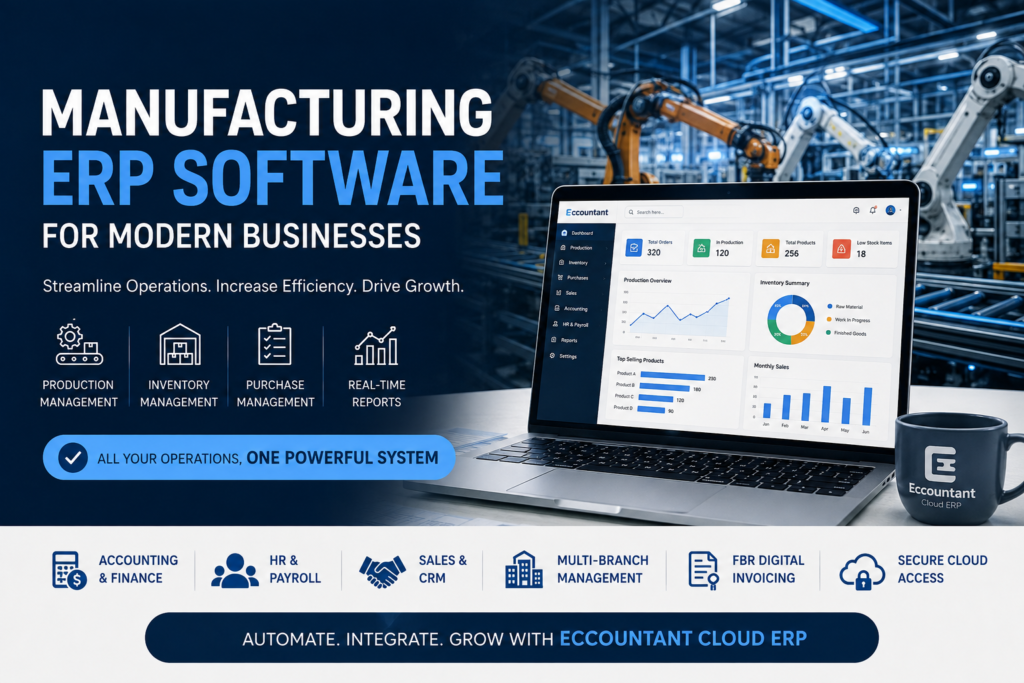
Managing a manufacturing business involves much more than production. Inventory, purchasing, accounting, sales, and workforce management must all work together to keep operations running efficiently. When these processes rely on spreadsheets or disconnected systems, businesses often face delays, errors, and unnecessary costs.
Manufacturing ERP Software brings every department together in one centralized platform. It automates daily operations, improves production planning, provides real-time insights, and helps manufacturers make smarter business decisions.
What is Manufacturing ERP Software?
Manufacturing ERP Software is a complete business management solution designed to integrate production, inventory, procurement, accounting, sales, HR, and reporting into one system.
Instead of managing different departments with separate software, manufacturers can access accurate, real-time information from a single cloud-based platform.
Why Manufacturers Need ERP Software
As businesses grow, manual processes become difficult to manage. Manufacturing companies often experience:
- Production delays
- Inventory shortages
- Manual data entry
- Purchasing inefficiencies
- Accounting errors
- Poor communication between departments
- Limited business visibility
Implementing Manufacturing ERP Software helps eliminate these challenges by automating workflows and improving operational efficiency.
Key Features of Manufacturing ERP Software
Production Planning
Plan production schedules, manage work orders, and monitor Bills of Materials (BOM) from one dashboard.
Inventory Management
Track raw materials, work-in-progress (WIP), and finished goods with real-time inventory updates.
Procurement Management
Manage suppliers, purchase orders, approvals, and procurement processes efficiently.
Accounting & Finance
Automate invoicing, financial reporting, cash flow management, tax calculations, and expense tracking.
Sales & CRM
Manage customer information, quotations, sales orders, and follow-ups from one platform.
HR & Payroll
Handle employee attendance, payroll processing, leave management, and performance records.
Reports & Business Analytics
Access real-time dashboards and detailed reports to support informed business decisions.
Benefits of Manufacturing ERP Software
A modern Manufacturing ERP Software solution helps businesses:
- Improve production efficiency
- Reduce operational costs
- Minimize manual errors
- Increase inventory accuracy
- Automate routine business processes
- Improve financial visibility
- Enhance customer satisfaction
- Support long-term business growth
How to Choose the Best Manufacturing ERP Software
When selecting an ERP solution, look for features such as:
- Cloud-based accessibility
- Production planning
- Inventory management
- Procurement automation
- Financial management
- HR & Payroll
- CRM integration
- Real-time reporting
- Multi-branch support
- Data security and user permissions
Choosing the right ERP ensures your business can grow without operational bottlenecks.
Why Choose Eccountant Cloud ERP?
Eccountant Cloud ERP is designed to simplify manufacturing operations by bringing every department into one integrated system.
Key Features
- Production Management
- Inventory & Warehouse Management
- Procurement Management
- Accounting & Finance
- Sales & CRM
- HR & Payroll
- Project Management
- Multi-Branch Management
- Business Reports & Dashboards
- FBR Digital Invoicing
- Cloud-Based Access
Whether you’re managing a small manufacturing business or a large enterprise, Eccountant Cloud ERP provides the flexibility and scalability to support your growth.
Frequently Asked Questions
What is Manufacturing ERP Software?
Manufacturing ERP Software is a business management solution that integrates production, inventory, procurement, accounting, sales, HR, and reporting into one centralized platform.
What are the benefits of Manufacturing ERP Software?
Manufacturing ERP Software improves production planning, inventory control, financial management, reporting, and overall business efficiency while reducing manual work.
Can Manufacturing ERP Software improve inventory management?
Yes. It provides real-time inventory tracking, warehouse management, stock monitoring, and automated inventory control.
Is Cloud Manufacturing ERP suitable for growing businesses?
Yes. Cloud ERP is scalable, secure, and allows businesses to access their operations from anywhere while supporting future growth.
Final Thoughts
Choosing the right Manufacturing ERP Software is an important step toward improving efficiency and business performance. A cloud-based ERP solution helps manufacturers streamline operations, reduce costs, automate workflows, and gain complete visibility across every department.
Eccountant Cloud ERP combines production management, inventory control, accounting, procurement, HR, and reporting into one powerful platform—helping manufacturers operate more efficiently and grow with confidence.
Book your FREE Demo & Consultancy today and discover how Eccountant Cloud ERP can transform your manufacturing business.
Pakistan’s solar industry is growing rapidly, increasing the demand for efficient business management. Managing projects, inventory, procurement, accounting, and customer records manually can lead to delays and costly errors. The best ERP software for solar companies in Pakistan helps businesses automate daily operations, improve project tracking, and increase profitability.
If you’re looking for a reliable ERP solution, Eccountant Cloud ERP offers an all-in-one platform designed to simplify solar business management.
What is ERP for Solar Companies?
ERP (Enterprise Resource Planning) software integrates all your business processes into one centralized system. It connects sales, procurement, inventory, project management, finance, HR, and reporting, allowing solar businesses to operate more efficiently.
With ERP, solar companies can:
- Manage solar projects from start to finish
- Track inventory in real time
- Automate purchasing and supplier management
- Monitor project costs and profitability
- Generate financial reports instantly
- Improve customer service
Challenges Faced by Solar Companies
Many solar businesses experience:
- Poor inventory management
- Project delays
- Manual accounting errors
- Inefficient procurement
- Difficulty tracking project costs
- Lack of real-time business insights
An ERP system helps eliminate these challenges through automation and centralized data.
Features of Eccountant Cloud ERP
Eccountant Cloud ERP provides everything a solar business needs in one platform.
Project Management
Track installations, project timelines, and progress from a single dashboard.
Inventory Management
Monitor solar panels, inverters, batteries, cables, and other equipment in real time.
Purchase Management
Manage suppliers, purchase orders, and procurement efficiently.
Accounting & Finance
Automate accounting, invoicing, expenses, and financial reporting.
Sales & CRM
Manage leads, quotations, customer records, and sales orders.
HR & Payroll
Handle employee attendance, payroll, and leave management with ease.
Benefits of ERP for Solar Companies
Using the best ERP software for solar companies in Pakistan helps businesses:
- Improve project management
- Reduce operational costs
- Increase productivity
- Automate business processes
- Improve inventory accuracy
- Make faster business decisions
- Enhance customer satisfaction
Why Choose Eccountant Cloud ERP?
Eccountant Cloud ERP is a cloud-based solution that helps solar companies manage every aspect of their business from one secure platform. From inventory and procurement to accounting and project management, it provides complete operational visibility and supports business growth.
Frequently Asked Questions
Which is the best ERP software for solar companies in Pakistan?
Eccountant Cloud ERP is one of the best ERP solutions for solar companies, offering project management, inventory control, accounting, purchasing, HR, and reporting in one system.
Can ERP manage solar inventory?
Yes. ERP software tracks solar panels, batteries, inverters, cables, and warehouse stock in real time.
Is ERP suitable for small solar businesses?
Yes. Cloud ERP is scalable and suitable for both small and large solar companies.
Final Thoughts
Choosing the best ERP software for solar companies in Pakistan can improve efficiency, reduce costs, and simplify business operations. Eccountant Cloud ERP provides a complete solution to help solar businesses manage projects, inventory, accounting, and sales from one centralized platform.